V-Coptr Falcon Bi-Copter: Smooth 4K Cinematic Flights
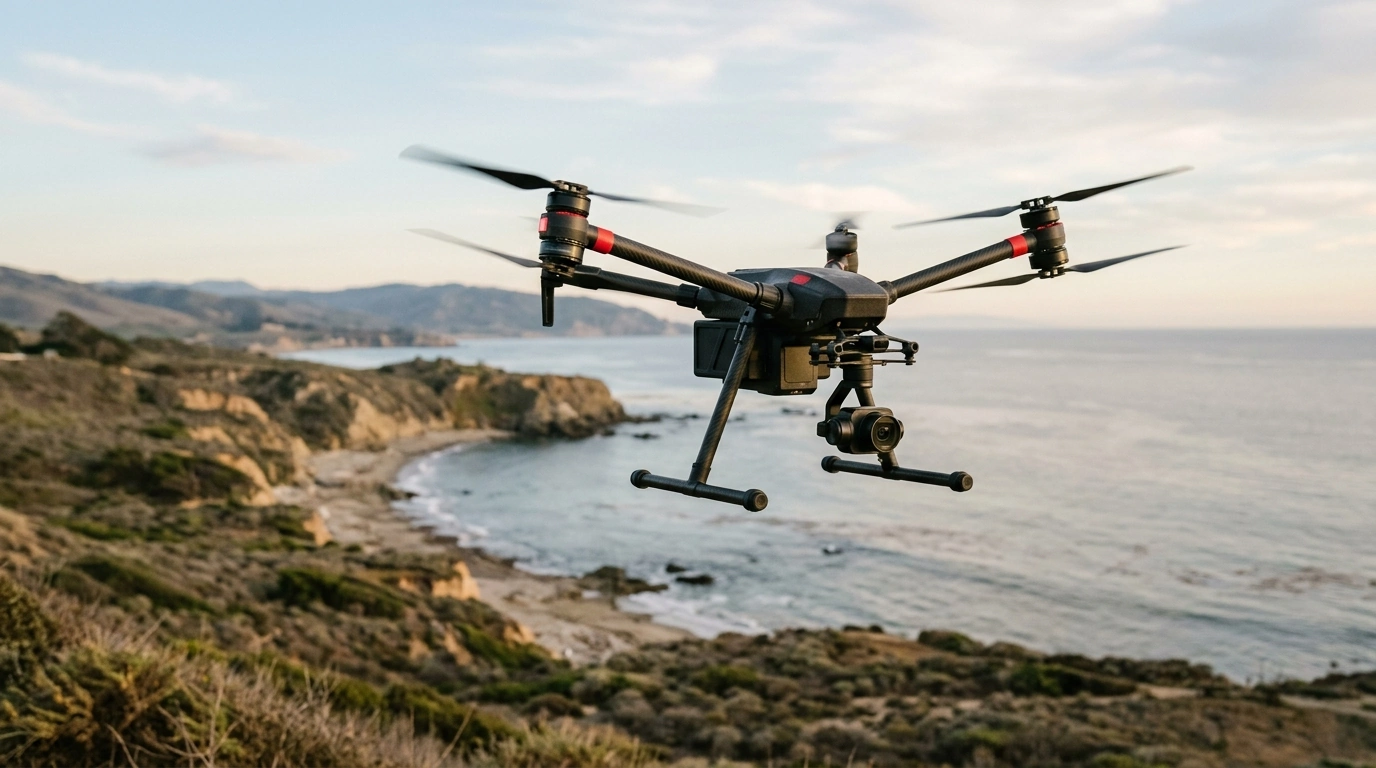
V-Coptr Falcon: Clean Cinematic Moves with a Bold Two-Rotor Design
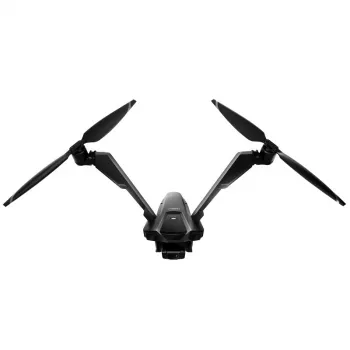
Some drones blend in. The V-Coptr Falcon doesn’t. Its V-shaped bi-copter layout and stabilized 4K camera system are built for creators and technical flyers who want smooth footage, controlled motion, and a platform that stands apart from typical quadcopters. Our team put together this guide to explain what makes the Falcon feel different in the air, where it’s at its best, and how to set practical expectations before you take off.
Why a V-Shaped Bi-Copter Changes the Flight Feel
A two-rotor (bi-copter) platform naturally brings a different rhythm to how you plan moves, especially when you care about repeatability. Instead of treating every flight like a fast reposition, you can treat the airframe as a deliberate camera platform—something you “place” into a line and let it carry through.
- Directional changes feel more intentional. With a bi-copter geometry, how you enter and exit a turn matters—great for cinematic passes where you want a predictable arc.
- The V-shaped frame supports efficient motion paths. That’s helpful when you’re doing multiple takes and want consistent speed and curvature from shot to shot.
- It’s a practical choice if you’re tired of “same-shape” drones. The distinctive airframe isn’t just style—many pilots prefer a platform that encourages controlled flying over snap movements.
- Best-fit shots: landscape reveals, smooth tracking passes, orbit-style movement (often wider arcs), and controlled speed ramp-ups/slow-downs that let stabilization work cleanly.
4K Capture + 3-Axis Gimbal: What That Setup Is Meant to Deliver
When you’re filming for real projects—real estate exteriors, travel b-roll, outdoor establishing shots—your bottleneck usually isn’t raw resolution alone. It’s stability. That’s why the Falcon’s pairing of 4K capture with a 3-axis gimbal matters as a complete system.
- 4K recording is about flexibility. You get cleaner detail, more room to crop, and less “softness” when exporting for multiple platforms or reframing in post.
- A 3-axis gimbal is the core tool for horizon discipline. It actively smooths pitch/roll/yaw disturbances so footage stays level during forward flight and minor corrections.
- Where you’ll notice it most: steady forward motion in light wind, gentle descents, and slow pans where micro-shakes would otherwise show up.
- Your inputs still matter. Slow stick movements, clean lines, and steady exposure settings often improve results more than any single spec.
Quick Fit Check: Who the Falcon Is For
If you’re deciding whether the Falcon fits your style, the fastest way is to ask what you want your flights to look like.
- Content creators who prioritize stabilized 4K footage over racing-style speed.
- Pilots who want a standout platform for creative aerial angles and controlled motion rather than the familiar quad silhouette.
- Teams capturing exteriors (real estate, travel, outdoor venues) where stable movement reads as “professional” on screen.
- Upgraders from entry-level drones who are ready to fly more deliberately and stay disciplined about local rules.
What’s Included at a Glance
Our store currently has the core unit available: V-Coptr Falcon V-Shaped Bi-Copter with 4K Camera and 3-Axis Gimbal. Before your first filming day, treat setup like a checklist: confirm storage media for your workflow (if applicable), establish a charge routine, and choose a safe practice area where you can focus on smoothness instead of obstacles.
V-Coptr Falcon Overview (Store Listing Highlights)
| Item | What it means for use |
|---|---|
| Airframe | V-shaped bi-copter design for a distinctive flight platform and controlled motion style |
| Camera | 4K capture for sharper detail and more room to crop/edit |
| Stabilization | 3-axis gimbal to keep footage level during movement and minor air disturbances |
| Product page | Full purchase details and current pricing in one place |
Practical Setup Tips for Better First Flights (Without Guesswork)
When the Falcon Shines: Shot Ideas That Match the Platform
Gear Pairings Our Team Recommends (Optional, But Useful)
- Rapid Trigger Magnetic 65% Gaming Keyboard with RGB and Hall Effect Switches for a compact desk setup and quick shortcut access during editing sessions.
- Floor Bike Parking Rack Stand for MTB & Road Bikes Indoor Garage Storage if you’re organizing a shared space where you store outdoor gear alongside your flight kit.
Ownership Notes: Rules, Registration, and Responsible Flying
Drone rules depend on where you live and where you plan to fly, and they can vary by aircraft class and purpose (recreational vs. commercial). Use official guidance and airspace tools before each flight, and build “legal and safe” into your standard pre-flight routine. For authoritative starting points, review FAA — Fly UAS Safely (DroneZone) if you’re in the U.S., and EASA — Open Category Rules for Drones if you’re flying under EU rules.
FAQ
Is a 3-axis gimbal worth it for everyday aerial video?
Yes—3-axis stabilization is what keeps your horizon and framing from looking “busy” during forward flight, turns, and small wind corrections. It elevates everyday footage most when you fly smoothly, because the gimbal can focus on removing minor disturbances instead of fighting abrupt inputs.
What should be checked before the first filming session?
Charge and secure your batteries, confirm assembly and controller readiness, and choose a wide, safe practice area. Check wind/weather, verify local airspace rules, and run a few simple practice passes before you start capturing “real” takes.
Where can the V-Coptr Falcon be flown legally?
Legal flight locations depend on your country and local restrictions, including no-fly zones and limits around airports, crowds, and sensitive areas. Use your aviation authority’s guidance and airspace tools, and avoid flying over people or in restricted airspace.












Leave a comment