Planar USB-C IEMs: Hi-Res Detail Without Dongles
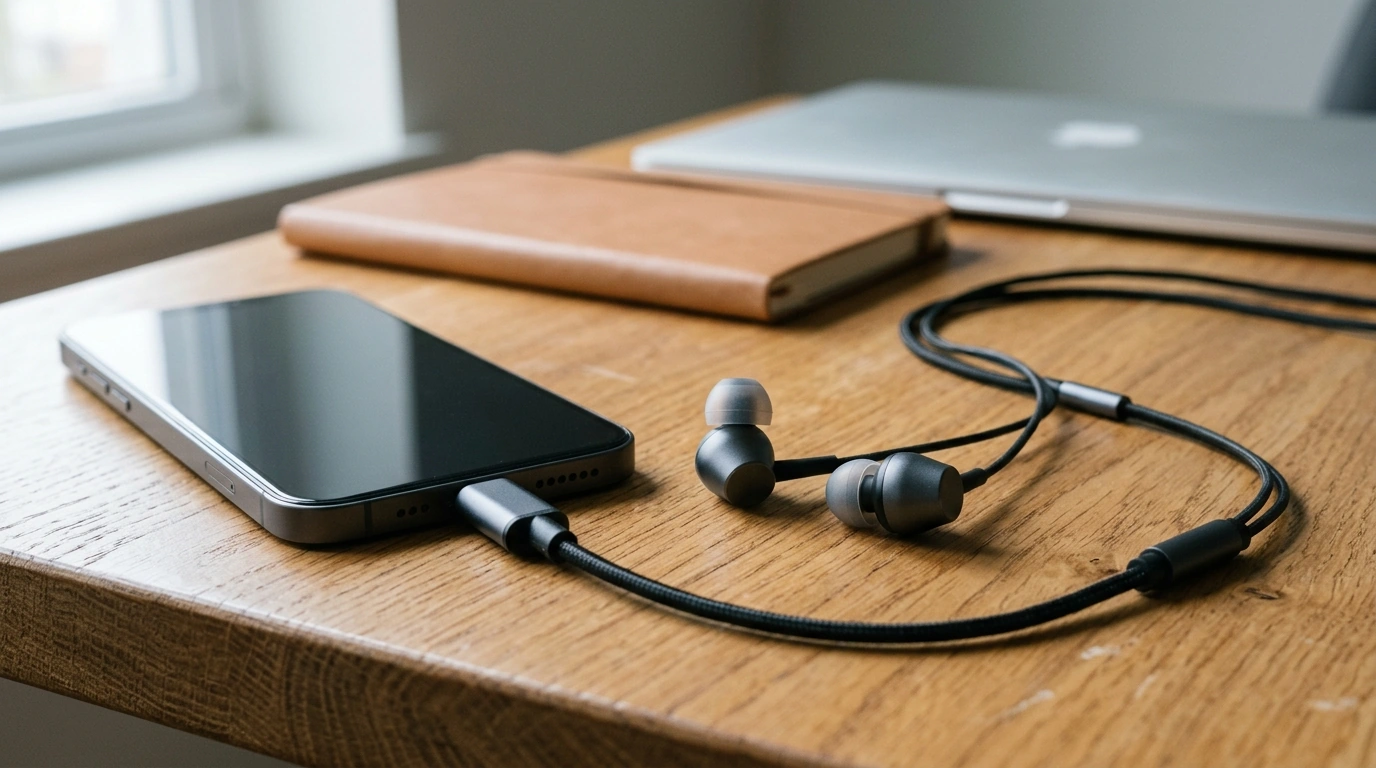
High-Resolution Planar USB-C In-Ear Listening, Without the Dongle Shuffle
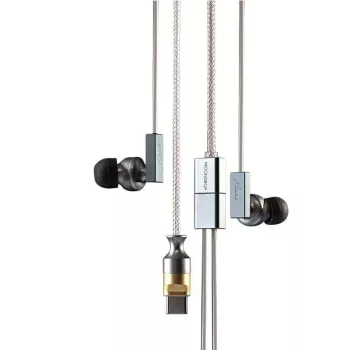
Clean, detailed audio shouldn’t require extra adapters, fragile dongles, or a full desktop chain. High-resolution planar-style IEMs with a USB‑C connection are built for modern listening: direct digital playback from phones, tablets, laptops, and handheld consoles, with the speed and separation planar drivers are known for. Our High-Resolution Planar USB-C In-Ear Headphones with Superinear Driver pairs a planar-style presentation with a Superinear driver concept aimed at low distortion and smooth dynamics, then routes it through a USB‑C interface for consistent results across devices. The result is a focused, high-definition in‑ear option for commuting, work sessions, and late-night listening where space, comfort, and clarity matter as much as volume.
What makes planar in-ear sound different
Planar-style tuning and behavior tends to stand out most when you’re listening for timing, separation, and control rather than “extra” bass bloom. If you’re coming from typical dynamic-driver earbuds, the shift can feel like a cleaner microscope on the mix.
- Fast transients: quick starts and stops help percussion hits, plucked strings, and micro-details land with precision.
- Layering and separation: complex tracks are easier to follow, with clearer placement for vocals, synth lines, and background textures.
- Controlled bass character: bass tends to feel tight and well-defined instead of boomy, especially with a good ear-tip seal.
- Low listening-fatigue goals: a clean, low-distortion presentation can feel smoother over long sessions at moderate volume.
- Consistency at lower volumes: detail stays present without needing to push loudness.
If you want deeper context on the fundamentals of planar magnetic designs, this overview is a helpful baseline: Planar magnetic headphones.
USB‑C audio: why it changes everyday usability
USB‑C changes the daily experience less through “magic sound improvements” and more through reducing friction. When your headphones are ready to plug straight into your main device, you actually use them more—and your setup is easier to keep consistent.
- Direct digital path: USB‑C can bypass inconsistent analog headphone jacks and reduce device-to-device variability.
- Simpler carry: one cable, fewer pieces—useful for travel bags and desk setups where dongles disappear.
- Cleaner compatibility with modern devices: many current phones and tablets prioritize USB‑C audio over 3.5 mm outputs.
- Practical for work and study: plug into a laptop for focused listening without a separate audio interface.
- Volume depends on the host device: your OS settings and app gain still control final loudness.
For standards-level background, the USB Implementers Forum documentation hub is the authoritative starting point: USB Audio Class resources (USB-IF).
Superinear driver focus: what to expect in real listening
“Superinear” here points to a listening goal: clarity with control. In practical terms, you want definition that stays smooth when a track gets dense—without turning vocals sharp or cymbals splashy.
- Clarity without harshness: presence in vocals and upper harmonics while keeping edges controlled.
- Better micro-contrast: subtle reverb tails, room cues, and low-level detail can become easier to notice on good recordings.
- Stable dynamics: swings from quiet to loud passages should feel cleaner when the source is well-mastered.
- Genre versatility: rewarding for acoustic, vocal, electronic, and soundtrack listening where speed and separation matter.
- Ear tips are the hidden “tuning knob”: the right seal can shift bass weight and perceived brightness dramatically.
If you’re building a small “hi-res ready” routine, the Japan Audio Society’s Hi-Res AUDIO information is a useful reference point for what the label generally implies: Japan Audio Society: Hi-Res AUDIO.
Comfort and fit: dial in the sound before judging it
Our team’s best advice with any resolving IEM is to treat fit as step one. A great driver can sound thin or sharp if the seal is off—even slightly.
Compatibility checklist for USB‑C devices
| Device type | What to check | Best practice |
|---|---|---|
| Android phone/tablet | USB audio enabled; media output set to USB device | Connect directly, then set volume gradually |
| iPad/Android tablet with hubs | Hub power/compatibility; audio routing | Prefer direct USB‑C when possible |
| Windows laptop | Default playback device selection | Select the USB headset in sound settings |
| MacBook (USB‑C) | Sound output device selection | Choose the USB headset and verify app output |
| Handheld console/portable gaming | USB audio support in system settings | Test in a menu screen before play sessions |
Where these headphones fit best in a daily setup
Two in-stock picks our team pairs together
- High-Resolution Planar USB-C In-Ear Headphones with Superinear Driver for direct digital listening from your phone, tablet, or laptop.
- Rapid Trigger Magnetic 65% Gaming Keyboard with RGB and Hall Effect Switches for a clean, responsive desk setup where focused audio and fast input go hand-in-hand.
FAQ
Will USB‑C in‑ear headphones work on any USB‑C phone or laptop?
Not always. Many devices support digital audio over USB‑C, but some handle audio modes differently, so you may need to select the USB headset as the active output device and connect directly without hubs to confirm compatibility.
Do planar in‑ear headphones need burn‑in or special amplification?
No special ritual is required. Give yourself time to confirm fit and seal, then use normal listening to evaluate; with USB‑C, the connection path is handled digitally, while source quality and volume settings still shape the final result.
How can the sound be tuned without changing headphones?
Swap ear tips to change seal and tonal balance, adjust insertion depth, and use gentle EQ if needed. Small tweaks often have a bigger impact than heavy processing, especially on bass weight and perceived treble.













Leave a comment