USB Gaming Mic Kit with Boom Arm: Setup & Buying Tips
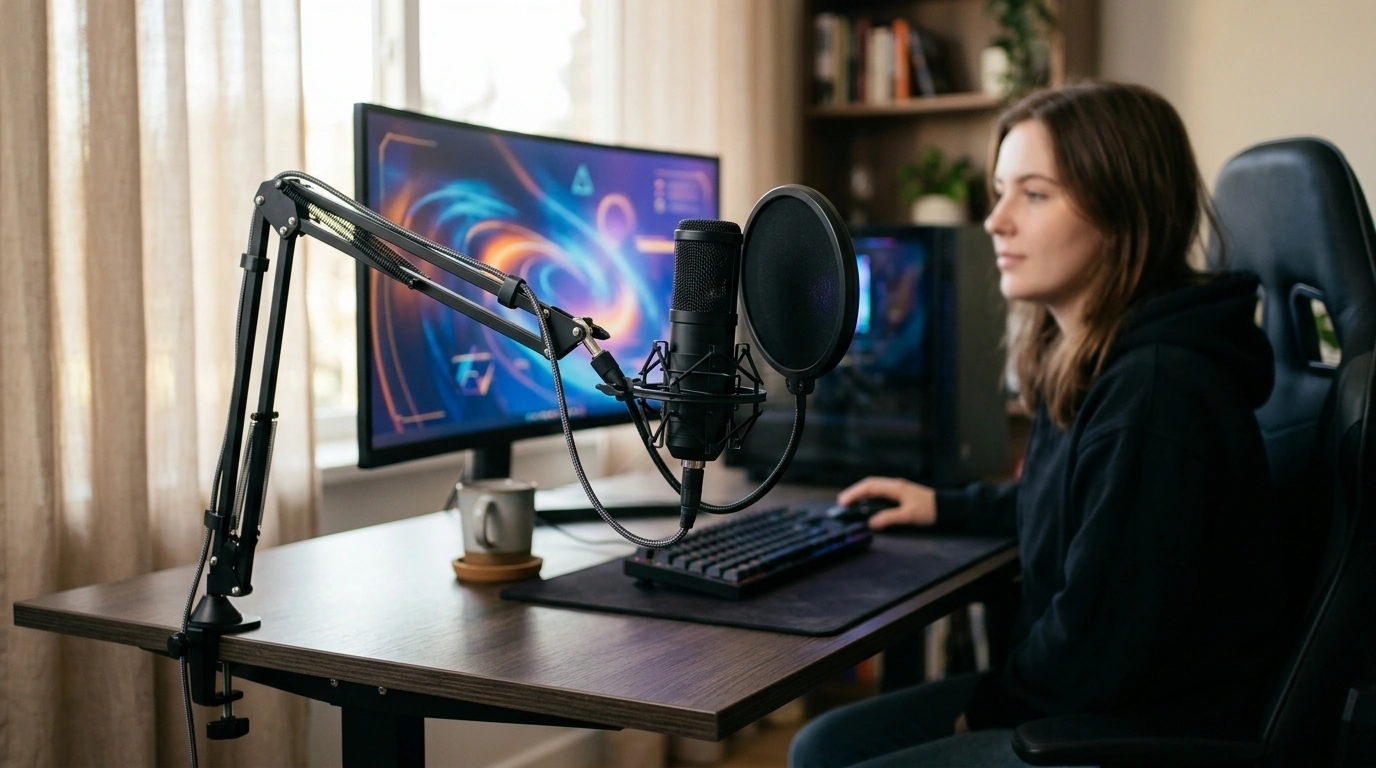
USB Gaming Microphone Kit with Arm Stand
Clear voice chat can change the feel of a stream, raid, or late-night co-op session. A USB microphone kit with an adjustable arm stand helps place the mic closer to the mouth, reduce desk noise, and keep the setup tidy—without the extra gear and learning curve of an audio interface. For more guidance, see Fifine Dynamic Microphone Set With Boom Arm Stand.
What Comes in a USB Microphone Kit with Arm Stand
A “kit” usually means more than just a mic. The goal is to get you from unboxing to solid voice quality with fewer extra purchases. For further reading, see Dynamic Gaming Microphone with RGB Light and Arm ….
- USB microphone: handles capture and analog-to-digital conversion inside the mic for simple plug-and-play use.
- Arm stand: clamps to a desk and positions the mic off the desktop to cut keyboard thumps and bumps.
- Shock mount or isolation hardware (if included): reduces vibration transferred from desk to mic.
- Pop filter or windscreen (if included): softens plosives like “P” and “B” sounds.
- USB cable and mounting adapters: connects to PC or console that supports USB audio.
Why an Arm Stand Matters for Gaming and Streaming
Most “bad mic” complaints come down to placement. A boom arm makes good placement easy to repeat, which is why it can be such a noticeable upgrade over a desk stand.
- Improves consistency: fixed mic distance keeps volume and tone more even while playing.
- Frees desk space: keeps the mic off the keyboard/mouse area.
- Reduces impact noise: moving the mic off the desktop can lower vibration from mouse clicks and controller taps.
- Easier mic technique: quick adjustments for push-to-talk, standing gameplay, or leaning back in a chair.
- Cleaner camera framing: a properly angled boom can stay out of the shot more easily than a desk tripod.
| Goal | Suggested placement | Quick check |
|---|---|---|
| Clear voice with fewer plosives | Mic slightly off to the side of the mouth (not directly in front) | Say “paper, pop, people”; reduce bursts by angling the mic 20–45° |
| Less keyboard noise | Mic closer to mouth than to keyboard; boom comes from the side/back | Lower input gain once voice stays strong at closer distance |
| Comfort over long sessions | Boom height aligned with mouth level, not forcing neck tilt | Talk normally without leaning toward the mic |
Setup and Compatibility Checklist
A few quick checks prevent the most common frustrations: clamp fit, USB dropouts, and mismatched app settings.
- Desk compatibility: confirm the clamp can fit the desk thickness and the edge has a stable surface.
- USB connection: use a direct USB port when possible (avoid loose hubs if dropouts occur).
- PC basics: set the mic as the default input device and disable unused inputs to prevent app confusion.
- Console notes: console USB audio support varies by model and settings; verify system compatibility before purchase.
- App settings: in Discord/voice chat, set input sensitivity and noise suppression carefully to avoid cutting words (see Discord’s Voice and Video Settings).
- Monitoring: if the mic offers headphone monitoring, start at a low level and raise gradually to prevent feedback.
How to Get a Natural, Broadcast-Style Voice
You don’t need a studio to sound clean. You need repeatable mic position, sensible gain, and fewer reflections and noise sources.
For a deeper rundown of mic placement fundamentals, Shure’s microphone techniques guide is a solid reference.
Feature Checklist Before Buying
| Option | Best for | Trade-offs |
|---|---|---|
| USB mic kit with arm stand | Streaming, frequent voice chat, cleaner desk layout | Needs desk edge space and occasional tightening of joints |
| USB mic on desk stand | Simple setups, portable use, small desks without clamp space | More vibration/bumps, often worse positioning flexibility |
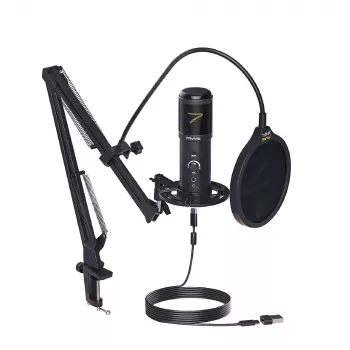
Product Spotlight: USB Gaming Microphone Kit with Arm Stand
If the goal is a straightforward upgrade from headset mic audio, an all-in-one kit can be the easiest path to a cleaner sound and a neater desk. The USB Gaming Microphone Kit with Arm Stand is built for voice chat, streaming, and general recording, with a boom that helps keep the mic at speaking height while your desktop stays clearer.
| Item | Value |
|---|---|
| Name | USB Gaming Microphone Kit with Arm Stand |
| Price | 205.47 USD |
| Availability | In stock |
Pairing Ideas for a Cleaner Gaming Desk
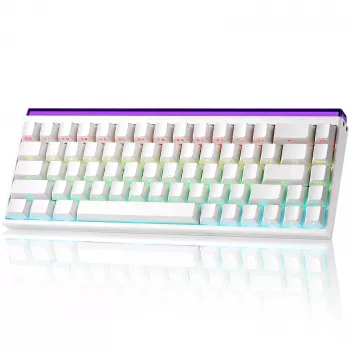
- Keyboard and mic synergy: reducing key chatter and stabilizing mic placement both improve voice clarity in chat. A faster, more controlled board can also help keep your hands lighter on keys—consider pairing with the Rapid Trigger Magnetic 65% Gaming Keyboard with RGB and Hall Effect Switches.
- Cable management: route USB and headset cables along the boom and behind the monitor to reduce snags (and reduce accidental bumps).
- Lighting placement: avoid placing noisy ring lights or small fans directly behind the mic; keep airflow and motors off-axis from the capsule.
FAQ
Will a USB microphone work without an audio interface?
Yes. USB microphones include their own built-in conversion, so they connect directly to a computer via USB; just select the mic as your input device in your system and app settings.
How far should the microphone be from the mouth for gaming voice chat?
A reliable starting point is about 4–8 inches. Adjust closer for a stronger voice signal and angle the mic slightly off-axis to reduce plosives and background noise.
How can keyboard and desk vibrations be reduced when using a boom arm?
Move the mic closer to your mouth and lower the input gain, then tighten the boom joints so it doesn’t drift. If your kit includes a shock mount, use it, and clamp the arm to a stable, solid desk edge.











Leave a comment